News
How to download Pinterest and TikTok videos without watermark

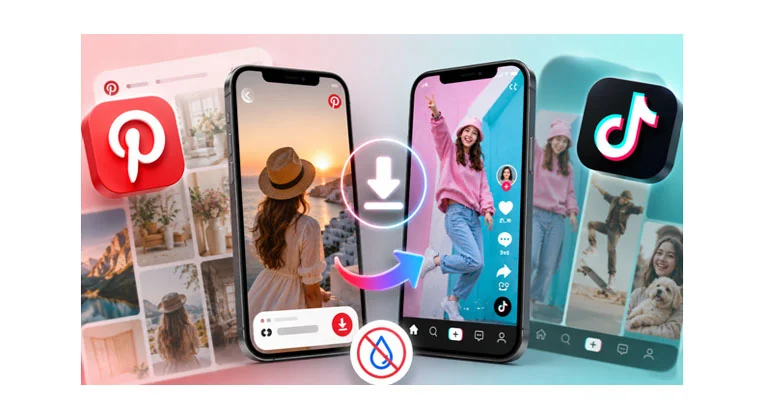
Two platforms, two different obstacles. Pinterest gives you no way to save a video at all, so the clip you found stays locked inside the app. TikTok does let you save, then stamps a moving username across the frame. Either way, the file you actually wanted never reaches your phone.
Both problems have the same kind of fix and it takes under a minute. A Pinterest video download through a browser tool pulls the real file out, and a separate tool does the same for TikTok with the watermark removed.
Why Pinterest has no download button
Look for one and you will not find it. No menu item, no long-press option, no setting buried in your profile. Saving a Pin bookmarks it inside the app and stops there, so the video stays on Pinterest’s servers rather than becoming a file you hold.
That arrangement works until it does not. When a creator deletes their account or takes a Pin down, everyone who saved it loses it. The thumbnail sometimes lingers on the board, which makes it worse, because you assume the video is still there until you tap it and nothing plays. Boards built over years quietly develop holes.
Why TikTok puts a watermark on every video
TikTok does allow downloads, and then brands what you downloaded. Your username and the TikTok logo print across the frame, and both of them move. Crop the corner to hide the logo and it has already shifted somewhere else, so cropping costs you a different part of the picture every few seconds.
Send a client a style video on WhatsApp and the logo drifts across the exact section of fabric you were pointing at. Traders sending options to customers hit this every week. A branded file also reads as forwarded rather than as your own working material, which matters when you are the one being paid for the advice. Tools like SSSTikTok strip the watermark back off, which is why they get used at all.
Why rewatching videos drains your data bundle
Watch a clip once, you pay for the data once. Watch it four times, you pay four times. Most people never notice, because most people watch something and move on. The ones who notice are the ones who work from video.
A tailor studying an Ankara style does not glance at that clip. She stops it at the sleeve, backs it up, watches the neckline five times while cutting. Hairstylists do the same with gele wrapping and braid tutorials. So do makeup artists, caterers running small-chops orders through Instagram, and students pulling lectures down before the hostel network drops at eleven. Take one tutorial you return to eight times over a fortnight: streamed, you pay eight times, and downloaded, you pay once.
Coverage gives you the second reason. A video that streams fine in Ikeja stutters somewhere else in the same city, and outside the major towns the gap widens. Power cuts finish the job, because a router with no power serves nobody. A saved file plays through all of it, at full quality, with no bars showing.
Storage is the fair objection. A short clip at full quality runs between ten and forty megabytes, so fifty of them puts you into a couple of gigabytes. Treat the folder as a working file rather than an archive. Keep what you are using now and clear the rest at month end. The videos anyone genuinely returns to are a smaller set than the ones they save on impulse.
Pinpea Pinterest downloader
What is Pinpea Pinterest downloader
Since the platform will not do it, something else has to. Pinpea is a website you paste a Pin link into, and it hands back the file that Pinterest keeps to itself. Video, still image or animated Pin, whatever the original was.
Nothing gets installed. You open it the way you open any other page, which is the point on a phone where storage is already tight and one more app is one too many. The same page works whether you are on a borrowed laptop at work or your own handset.
Pinpea returns Pinterest content as MP4, GIF or JPG files.
What Pinpea Pinterest downloader offers
- Nothing is stamped onto the file, so what you save is what you send
- Runs on Android, iPhone, Windows and Mac with no app and no signup
- Download as many as you need, with no daily cap
- MP4 comes back at the resolution it was uploaded in, not a shrunk copy
- JPG keeps full resolution, so the stitching and pattern detail survive when you show it to a tailor
- Animated Pins arrive as GIF, not as a silent video file
- Idea Pins and Story Pins both work
Saving a Pinterest video with Pinpea, step by step
- Open the Pin, tap the share arrow and copy the link.
- Go to pinpea.com in your browser.
- Paste the link into the box.
- Preview, then download.

The file goes to your gallery on a phone or your downloads folder on a laptop. It only reaches public Pins, so private boards and login-only content are out.
SSSTikTok TikTok downloader

What SSSTikTok offers
SSSTikTok works on the same principle, aimed at the opposite problem. TikTok will give you the video but not a clean one, so the job here is subtraction rather than access. Paste the link and it returns the same clip with the branding taken off.
It reads the original file rather than re-recording it, which is why the result is not softer than what you saw in the app. A lot of watermark removers crop and re-encode, and you can tell. This one keeps the full frame at HD, and like Pinpea it runs as a page in your browser with no account and nothing to install.
- Watermark-free MP4 at original HD quality
- Audio saved separately as MP3 when you want the sound rather than the clip
- Photo posts and slideshows download as well
- No account, no app, no download limits
- Works the same on Android, iPhone, Windows and Mac
How to download a TikTok video without watermark

- Tap share on the video and copy the link.
- Open sssstik.com in your browser.
- Paste the link into the field.
- Choose MP4 or MP3, then download.
People who do this regularly add both sites to their home screen, where they behave like apps without using any storage.
Downloading responsibly
Saving a file for your own reference is fine. Reposting somebody’s video as though you shot it is not, and creators have gotten quick at calling that out. If you want to share something, ask the person or credit them.
Both tools are free and neither asks for your details. Worth checking before you use any downloader, because plenty of them want a signup and a permission or two that has nothing to do with saving a video.







Kano APC rally: Ahmed Bala hails TSG, Faleke, says four years not enough to consolidate Tinubu’s reforms

EPL: ‘No longer sharp, quick’ – Carragher names who to blame for Arsenal’s first goal against Chelsea

“If Peter Obi becomes President, insecurity will become a thing of the past” – Ex-military officer declares

2027: If You Had The Guts To Challenge Sitting President, Why Didn’t You Come Out? – Sambo Fires Datti

Evening recap: FG to give Nigerian shipowners $25m, Drivers, cooks, traders can own refinery shares, other top stories

CBN Deputy Governor Emem Usoro Who Was Side Chic To A Married Man Accused Of Watching Him Take His Last Breath, Buried Him Alone And Took His Death Certificate From His Wife – Secrets Reporters Nigeria

Oyo 2027: Civil servants wait for seven to 10 years before receiving entitlements – ADC guber candidate

Paper Promises vs. Real Pulses: Why Nigeria’s Hypertension Crisis Demands Cash-Backing, Not Just Budget Speech-Making – Professor Emmanuel Alhassan and LISDEL

“Now una make me look like fool” – Stanley Ontop fumes over Regina Daniels’ visit to Ned Nwoko’s house

Exclusive: Niger Delta Suffers While MDGIF Director Oluwole Adama Hides N12.9 Billion Natural Gas Fund – Secrets Reporters Nigeria

Kwankwaso Condemns Attack On Peter Obi’s Convoy In Benue

LIVE UPDATES [FULL LIST]: 2026 Ballon d’Or nominees

Tinubu mourns death of media aide, Peter Onwubuariri
Tinubu mourns death of media aide, Peter Onwubuariri

Nigeria’s Bishops Issue Warning: Don’t Declare Victory While Terrorism Is Expanding

Okpebholo rewards victorious Edo Queens with N50m

Troops Repel ISWAP Attack On Pulka Military Position In Borno

ASML Starts Building New Eindhoven Campus for Up to 20,000 Workers

Why Baba-Ahmed Is Attacking Obi Linked – Kenneth Okonkwo…

How my biological father sexually abused me at age 11 — Woman reveals

 News15 hours ago
Evening recap: FG to give Nigerian shipowners $25m, Drivers, cooks, traders can own refinery shares, other top stories
 News13 hours ago
CBN Deputy Governor Emem Usoro Who Was Side Chic To A Married Man Accused Of Watching Him Take His Last Breath, Buried Him Alone And Took His Death Certificate From His Wife – Secrets Reporters Nigeria
- Headlines7 hours ago
Oyo 2027: Civil servants wait for seven to 10 years before receiving entitlements – ADC guber candidate
 News12 hours ago
Exclusive: Niger Delta Suffers While MDGIF Director Oluwole Adama Hides N12.9 Billion Natural Gas Fund – Secrets Reporters Nigeria
- News10 hours ago
Ibiyeomie Rejects Offerings From Internet Fraudsters, Tells Them To Leave » Apples Bite Int’l Magazine
- News7 hours ago
Investigation: SEEPCO’s Anthony Chukwueke Was the FG Regulator Sacked in 2007 for Improperly Awarding Oil Licenses and Is Now Chairman of the Company That Walked Away With Nigeria’s Richest Well – Part One – Secrets Reporters Nigeria
- Politics5 hours ago
‘After Working With Peter Obi, You Risk Suffering Post-political Identity Crisis’ – Kenneth Okonkwo Defends Datti
- Special Report22 hours ago
Young Dutch Generations Are Generally Wealthier, but Gen Z Struggles to Buy Homes