Metro
EXPLAINER: How to Check JAMB Admission Status

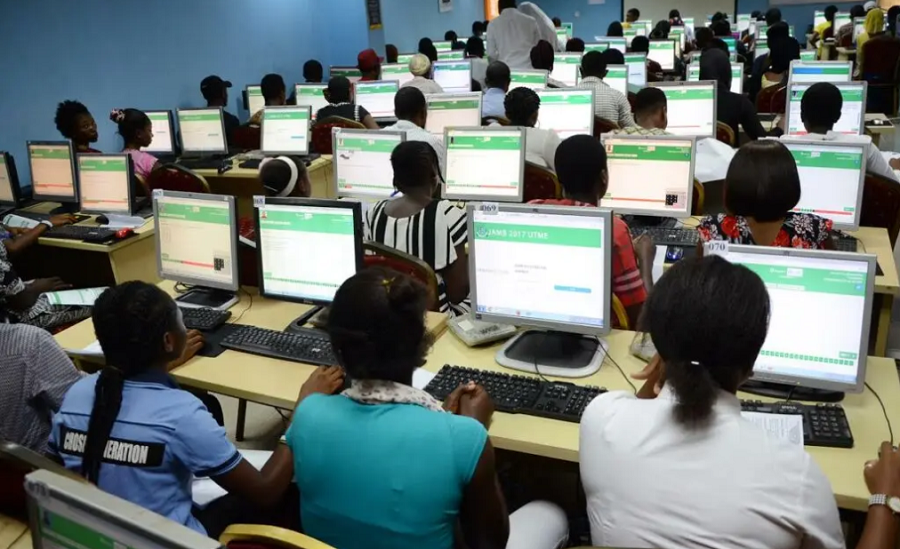
Candidates seeking admission into Nigerian tertiary institutions for the 2026/2027 academic session can now check their admission status through the Joint Admissions and Matriculation Board’s (JAMB) Central Admissions Processing System (CAPS). The Joint Admissions and Matriculation Board (JAMB) advised candidates with admission offers to log into their profiles and either……
Candidates seeking admission into Nigerian tertiary institutions for the 2026/2027 academic session can now check their admission status through the Joint Admissions and Matriculation Board’s (JAMB) Central Admissions Processing System (CAPS).
The Joint Admissions and Matriculation Board (JAMB) advised candidates with admission offers to log into their profiles and either accept or reject the offers without delay.
The board gave the advice in a video explainer shared on its official social media platforms on Friday as the admission process for the new academic session gets underway.
READ ALSO: JAMB Sets September 30 Deadline for Acceptance, Rejection of Old Admissions
JAMB urged candidates to regularly check their CAPS profiles and take immediate action whenever an admission offer appears on their dashboards.
“If you have an admission offer, accept or reject the offer with immediate effect,” the board stated.
How to Check Admission Status on JAMB CAPS
Candidates can check their admission status by following these steps:
1. Visit the JAMB portal
Go to the official JAMB e-Facility portal: https://efacility.jamb.gov.ng.
2. Log into your account
Enter the email address and password used during UTME registration.
3. Access your admission status
From your dashboard, click “Check Admission Status” or navigate to the Admissions section.
4. Select the examination year
Choose 2026 as the examination year if you sat for the 2026 UTME.
5. Enter your JAMB registration number
Input your registration number in the required field.
6. Check your admission status
Click “Check Admission Status” to view your admission information.
How to Check Admission on JAMB CAPS
If prompted to access CAPS, click “Access my CAPS” and then select “Admission Status.”
Your dashboard may show any of the following:
No admission yet
Provisional admission
Confirmed/accepted admission
If you have been offered admission, the platform will typically display options to “Accept Admission” or “Reject Admission.”
Candidates who receive an offer are advised to act promptly rather than leave the offer unattended.
What to Do If CAPS Is Not Displaying Properly
Candidates checking their status on a mobile phone may sometimes see only a welcome page instead of their admission details.
In such cases, switch the browser to desktop view, reload the page and try accessing CAPS again.
JAMB advised candidates not to assume that they have no admission simply because they have not received a notification elsewhere, but to regularly check their CAPS profiles for updates.
TVC NEWS had earlier reported that the Joint Admissions and Matriculation Board (JAMB) has extended the deadline for candidates offered admission from 2021 to date to accept or reject their outstanding admission offers.
The new deadline is September 30, 2026, following the earlier deadline of August 31 announced by the Board.
JAMB spokesperson, Fabian Benjamin, disclosed this in a statement on Saturday, saying the extension was to give affected candidates a final opportunity to regularise their admission status.
According to him, the extension covers outstanding regular and CUIIA admission offers.


“Any Algorithm Can Calculate, But It Cannot Care” — NMCN Registrar Warns Nurses Against Overreliance On AI

“I Didn’t Go To Court, I’m Not In APC” — Wike Denies Influencing Judgment Against Uzodimma, Explains Old Video With Okorocha

RE: RESPONSE TO MISLEADING PUBLICATION ON THE PRESIDENTIAL AMNESTY PROGRAMME (PAP)

‘He’s closest to Lionel Messi’ – Rashford names player to win more Ballons d’Or than Cristiano Ronaldo

Power Outage: Tegbe assures Nigerians of swift restoration as electricity disruptions hit Lagos, Abuja

2027: ‘Peter Obi’s Logic Is Short-Term Turnover Unlike Tinubu Who Thinks Of Next Generation’ – Oshiomhole

“Not To Own It, But To Give It Another Chance At Life” — Foreigner Rescues Sea Turtle From Lagos Sellers As NESREA Faces Enforcement Questions

‘Politics is expensive everywhere’ – Wike replies critics over high billboard cost in Abuja

Investigate hijab controversy in Nigerian law schools immediately- MURIC to Council of Legal Education

Jesus de Miguel’s death: ‘He’d never intentionally hurt anyone’ – Owono’s team-mate defends goalkeeper

You are a liar: Ogun govt knocks actor Kunle Afod

2027: Ojudu Says He Has Not Decided Whom to Vote for

Delta govt splashes N2bn on 2026 pilgrimage as citizens cry over hardship

Remain steadfast in your commitment to Benue - Gov Alia tells deputy, Ode on 58th birthday

‘Where’s N15.8 trillion saved from fuel removal, $100 billion you borrowed’ – Peter Obi asks Tinubu

Buhari told me not to campaign, promised me APC presidential ticket in 2022 – Amaechi

Delta CDHR, police arrest man over alleged serial defilement of 10-year-old daughter

FLAMINGOS CAPTAIN CHIDI VOWS TO MAKE NIGERIA PROUD IN U-17 WORLD CUP FINAL

Obi Challenges Tinubu To Account For $100bn Loans, ₦15.8trn Fuel Subsidy Savings

Police rescue 17 children from drug abuse, arrest two suppliers in Bauchi

 Politics7 days ago
Over 200 Boko Haram Terrorists Are Moving To Attack Military Camp In Buni Yadi As Rockets Target Troops; IED Threat Raises Travel Concerns
- Metro7 days ago
“The Election Must Hold As Scheduled” — INEC Chairman Rules Out Postponement Of 2027 General Elections
- Metro7 days ago
“Publishing His Name Is Subject To The Final Outcome Of A Court Order” — INEC Leaves Gwarzo Off Updated Kano Governorship List
- Metro7 days ago
“Ebola Outbreak Is Not Yet Under Control” — Africa CDC Warns As Confirmed Cases Exceed 10,200, Death Toll Surpasses 5,000
- Metro7 days ago
“Death Benefits Will Be Fully Paid To Next Of Kin” — NAF Pledges Continued Salaries For Personnel Killed In October 5 Aircraft Crash
- Metro7 days ago
“Sowore’s Whereabouts Remain Unknown” — Armed Men Allegedly Abduct AAC Presidential Candidate In Ado-Ekiti, Damage Vehicles And Restaurant
- Metro6 days ago
“They Beat Me Like A Criminal” — Sowore Recounts Ekiti Attack As Govt Denies Involvement, Calls For Police Investigation
- Metro6 days ago
“21 Exotic Vehicles Affected, No Life Lost” — LASEMA Confirms Lagos Mechanic Workshop Fire, Averts Disaster At Nearby Filling Station